Managing employees, attendance, leave applications, payroll, and HR records becomes more challenging as a business grows. When these activities are handled through spreadsheets, paper documents, or disconnected applications, HR teams may spend considerable time updating information and coordinating routine tasks.
Cloud-based HRMS software in India helps businesses manage human resource activities through an online platform. Depending on the solution, authorised users can access employee information, attendance records, leave requests, payroll functions, and reports without relying exclusively on a computer in the office.
For startups, small businesses, growing companies, and organisations with multiple branches, cloud-based HR software can simplify administration and support more consistent HR processes.
In this guide, we explain what cloud-based HRMS software is, how it works, its key benefits, essential features, implementation steps, and how to evaluate a solution such as TezzHR.
What Is Cloud-Based HRMS Software?
Cloud-based HRMS software is a human resource management system hosted on cloud infrastructure and accessed through an internet-connected browser or supported application.
HRMS stands for Human Resource Management System. It brings together employee information and selected HR processes in one platform.
Depending on the product, a cloud HRMS may include:
- Employee information management
- Attendance tracking
- Leave management
- Payroll processing
- Payslip generation
- Employee self-service
- Shift and working-hour management
- HR reports and dashboards
- Document management
- Performance management
Instead of maintaining separate records for every HR activity, a business can use an integrated system to manage supported workflows.
For example, an employee may submit a leave request online, a manager may approve it, and the approved leave may be reflected in the employee’s attendance records. If payroll integration is configured, the relevant approved information can then be used during salary processing.
The exact workflow depends on the features and configuration of the chosen HRMS.
How Does Cloud-Based HRMS Software Work?
A typical cloud HRMS operates through the following process.
1. Business account setup
The organisation configures its company profile, departments, employee records, working schedules, HR policies, and required permissions.
2. Employee account creation
Employees and managers receive access according to their assigned roles. Administrators control which information and functions each user can access.
3. Online access to HR services
Authorised users access the platform through a supported web browser or application.
Depending on the system, employees may view attendance, submit leave applications, access payslips, and review selected employment information.
4. HR workflow automation
The software processes configured activities such as leave approvals, attendance calculations, notifications, and report generation.
Automation depends on the available modules and the organisation’s policies.
5. Centralised information management
Employee records and related HR information are maintained within the system, reducing the need to manage multiple disconnected spreadsheets.
6. Reporting and monitoring
Authorised administrators and managers can review available reports and dashboards to understand employee attendance, leave, payroll summaries, and other workforce information.
7. Ongoing maintenance and security
The business and software provider share responsibilities according to the service agreement. These may include account management, access reviews, updates, backups, security controls, and data retention.
A cloud deployment does not automatically guarantee security or uninterrupted availability. These depend on the provider’s infrastructure, configuration, and operating practices.
Why Are Indian Businesses Moving Towards Cloud-Based HRMS?
Businesses increasingly need HR systems that can support employees across different departments, branches, and working arrangements.
Cloud-based HRMS software can help address these operational requirements.
1. Access HR Information from Different Locations
An online HRMS can allow authorised users to access supported services from different locations.
This is useful for businesses with multiple branches, travelling managers, field employees, or teams that do not work from one central office.
Access depends on connectivity, permissions, and the product’s supported devices.
2. Reduce Spreadsheet Dependency
Spreadsheets are useful for simple tasks, but managing several versions of employee records can create inconsistencies.
An HRMS can provide a central place for supported employee information and workflows.
This makes it easier to maintain consistent records and reduces repeated data entry when modules are properly integrated.
3. Simplify Attendance Management
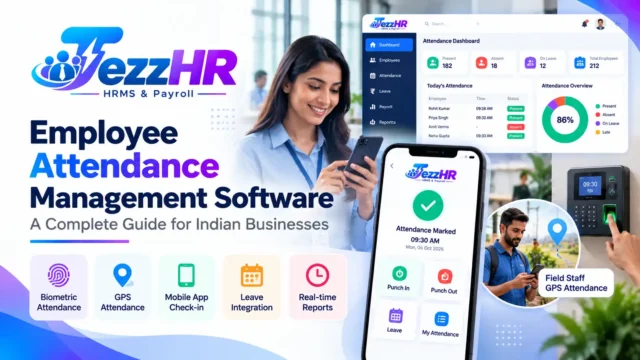
Cloud-based attendance software can help businesses collect, review, and report attendance information.
Depending on the system, it may integrate with biometric devices or support other attendance methods.
HR teams can use attendance reports to identify missing punches, late arrivals, absences, and other exceptions.
Read our related guide to Employee Attendance Management Software.
4. Improve Leave Administration
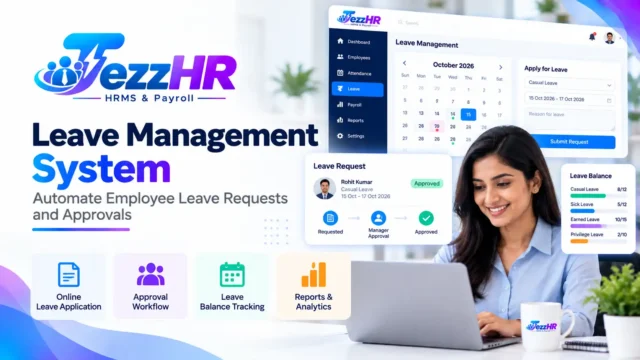
Employees can submit leave applications through supported online workflows, while managers can review requests without relying entirely on paper forms or email.
Leave balances, approval status, and holiday information may also be available through the system.
Explore our guide to the Leave Management System.
5. Organise Payroll Processing
Payroll involves employee salary structures, attendance inputs, deductions, payslips, and applicable statutory calculations.
A cloud HRMS with payroll capabilities can organise these processes and automate supported calculations.
Payroll administrators should still review salary calculations, statutory settings, and applicable compliance requirements before finalising payments.
Learn more about Payroll Management Software in India.
6. Support Employee Self-Service
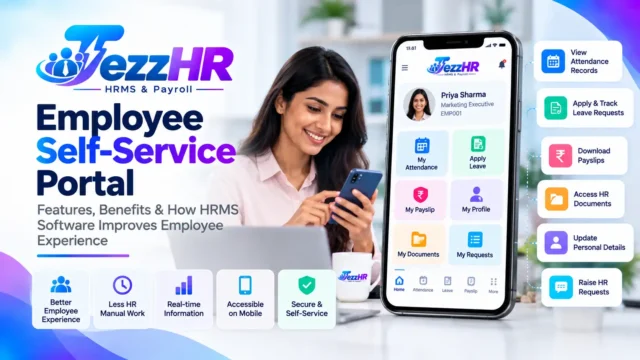
An employee self-service portal can allow employees to access permitted information without contacting HR for every routine request.
Depending on the system, employees may be able to view attendance, apply for leave, download payslips, and submit HR requests.
Read our guide to the Employee Self-Service Portal.
7. Support Business Expansion
As a business grows, its HR requirements may change. It may add departments, branches, employee categories, or new approval levels.
A suitable cloud HRMS can make it easier to manage these changes, provided its plans and features support the organisation’s requirements.
Essential Features of Cloud-Based HRMS Software
Not every organisation needs every available HR module. The right feature set depends on workforce size, business processes, budget, and operational complexity.
1. Employee Database Management
A central employee database can maintain information such as:
- Employee ID and name
- Department and designation
- Reporting manager
- Joining date and employment status
- Contact information
- Employment documents
- Other authorised employee details
Look for role-based access, data correction workflows, and the ability to maintain accurate employee records.
2. Attendance and Shift Management
Attendance and shift management are essential for businesses that need to track working hours consistently.
Depending on the system, features may include:
- Daily and monthly attendance records
- Check-in and check-out information
- Shift assignments
- Weekly offs and holiday calendars
- Late-arrival and early-departure reports
- Attendance regularisation
- Supported biometric integrations
Confirm which attendance methods and devices are compatible with the product.
3. Leave Management
The leave module should support the organisation’s leave policies and approval structure.
Useful capabilities may include leave types, leave balances, online applications, manager approvals, holiday calendars, and leave reports.
4. Payroll Management
Payroll capabilities may include salary structures, earnings, deductions, payroll calculations, payslips, and reports.
For Indian businesses, confirm whether the software supports the relevant payroll rules, statutory calculations, and reporting requirements for the organisation.
Do not assume every HRMS subscription includes payroll or all statutory features.
5. Employee Self-Service
An employee portal can provide access to selected HR services.
Check whether employees can view their records, submit requests, access payslips, and track approvals through the web or mobile interface.
6. Multi-Branch and Department Management
Businesses with multiple locations may require centralised employee management and branch-specific attendance rules.
Confirm that the software supports the required company structure, locations, reporting relationships, and access permissions.
7. HR Reports and Analytics
Reporting features can help authorised users review workforce information.
Common reports may include employee headcount, attendance summaries, leave records, payroll summaries, and other configured HR metrics.
Check the available filters, export formats, and permissions for accessing reports.
8. Document Management
The system may allow businesses to maintain employment documents, policy records, and other HR files.
Review document access permissions, storage limits, retention policies, and available download or sharing controls.
9. Notifications and Approval Workflows
Notifications can help employees and managers stay informed about pending leave applications, attendance exceptions, and other HR requests.
Approval workflows should reflect the organisation’s reporting structure and provide appropriate status tracking.
10. Security and Access Control
Employee and payroll data is confidential. Evaluate the following before adopting a cloud HRMS:
- Authentication and account security
- Role-based permissions
- Secure data transmission
- Backup and recovery arrangements
- Audit logs for important changes
- Data retention and deletion policies
- Provider security practices
- Incident response and support arrangements
Ask the vendor for information about the controls included in the service rather than relying only on general security claims.
Cloud-Based HRMS vs On-Premises HR Software
Cloud-based and on-premises HRMS solutions differ in how they are deployed and maintained.
| Comparison | Cloud-based HRMS | On-premises HRMS |
|---|---|---|
| Hosting | Provider or cloud infrastructure | Organisation’s own infrastructure or designated hosting |
| Access | Typically available remotely through supported access methods | Depends on network and deployment configuration |
| Infrastructure maintenance | Shared according to provider agreement | More infrastructure responsibility may fall on the organisation |
| Initial investment | Often subscription-based | May involve infrastructure and licensing costs |
| Updates | Managed according to the service model | Managed by the organisation or its support provider |
| Customisation | Depends on the product and plan | Depends on the software and deployment architecture |
| Security | Depends on provider controls and configuration | Depends on internal controls and configuration |
| Internet dependency | Usually requires connectivity for remote access | Depends on the deployment and network design |
Neither model is automatically better for every business. Organisations should compare their security requirements, infrastructure, costs, integration needs, and operational capabilities before deciding.
How Much Does Cloud-Based HRMS Software Cost in India?
Cloud HRMS pricing varies by provider, employee count, selected modules, integrations, support, and implementation requirements.
Common pricing models include monthly subscriptions, annual subscriptions, per-employee pricing, and customised business plans.
When comparing quotations, consider:
- Number of employees included
- HR and payroll modules available
- Additional user or employee charges
- Attendance-device integrations
- Data migration and implementation
- Training and onboarding
- Support and maintenance
- Customisation and integration charges
- Renewal pricing
- Data export and exit arrangements
A low subscription price may not represent the lowest overall cost if essential features require additional charges.
Ask for a demonstration and a written quotation based on your actual business requirements.
Is Cloud-Based HRMS Suitable for Small Businesses?
Yes. Cloud-based HRMS software can be useful for small businesses that want to organise employee records and standardise HR processes without managing a complex in-house infrastructure.
For a small business, the most important starting modules may be:
- Employee database management.
- Attendance tracking.
- Leave management.
- Payroll processing, if required.
- Employee self-service.
- Basic HR reporting.
A growing organisation may later require shift management, multi-branch reporting, document workflows, performance management, or additional integrations.
Start with the processes that create the most administrative work and expand only when the additional functionality provides clear value.
For more guidance, read Best HR Software for Small Businesses in India.
Cloud HRMS Implementation: A Step-by-Step Guide
Successful implementation requires more than creating employee accounts. Businesses should prepare their data, policies, workflows, and users before launch.
Step 1: Document HR requirements
List the existing HR processes and identify the problems the new system should solve.
Decide which functions are essential at launch and which can be introduced later.
Step 2: Clean employee data
Review employee names, identifiers, departments, reporting managers, joining dates, salary information, and other required records.
Correct duplicates and missing information before importing data into the new system.
Step 3: Configure company policies
Set up working hours, shifts, holidays, leave entitlements, approval workflows, and other applicable rules.
Configure payroll separately according to the organisation’s salary structure and applicable requirements.
Step 4: Set up roles and permissions
Define what owners, HR administrators, managers, payroll personnel, and employees can view or change.
Restrict access to confidential records and sensitive payroll information.
Step 5: Configure integrations
If the system must connect to biometric devices, accounting software, or other business applications, confirm the integration requirements and test the connections.
Step 6: Test real-world scenarios
Test routine workflows, including:
- Adding a new employee.
- Recording attendance.
- Applying for and approving leave.
- Correcting an attendance record.
- Generating a payslip.
- Reviewing HR reports.
- Removing or changing access when an employee leaves.
Use representative test data and review results before processing live payroll.
Step 7: Train employees and managers
Provide simple instructions for signing in, accessing employee services, submitting requests, and following approval statuses.
Managers and HR administrators may need additional training for their responsibilities.
Step 8: Launch in phases
Consider starting with one department or location before expanding to the entire organisation.
Collect feedback, resolve configuration problems, and then roll out additional modules as appropriate.
Step 9: Monitor performance and adoption
Review system usage, unresolved requests, attendance exceptions, support queries, and data accuracy after launch.
Use the findings to improve workflows and training.
Common Cloud HRMS Implementation Mistakes
Choosing software without defining requirements
A product demonstration may look impressive, but it does not guarantee that the system supports your actual HR workflows.
Prepare a requirements checklist and test those workflows before purchasing.
Assuming every feature is included
Cloud HRMS plans can differ significantly. Confirm the availability of payroll, mobile applications, biometric integration, reporting, and other required functions.
Migrating inaccurate employee data
Duplicate or incorrect records can cause access, reporting, and payroll problems.
Clean and validate the data before migration.
Overlooking security permissions
Not every employee should have access to every salary record or HR document. Configure permissions carefully and review them periodically.
Failing to train users
Employees and managers need clear instructions to use the system consistently.
Ignoring backups and data portability
Ask how backups, recovery, data exports, retention, and account termination are handled. These arrangements should be understood before implementation.
How TezzHR Fits into Cloud-Based HR Management
TezzHR is TezzSoft’s HRMS and payroll product. Businesses evaluating an HR solution can begin with the TezzSoft HR & Payroll Management Software page.
When evaluating TezzHR for your organisation, review whether the current product configuration meets your requirements for:
- Employee information management.
- Attendance and leave workflows.
- Payroll processing and payslips.
- Employee self-service.
- HR reports and dashboards.
- Shift and working-hour rules.
- User roles and permissions.
- Required integrations and mobile access.
Confirm the current deployment model, included features, security controls, pricing, and integration capabilities with the TezzSoft team before making a purchase decision.
Visit TezzHR to explore the product and enquire about its available capabilities.
Frequently Asked Questions About Cloud-Based HRMS Software
1. What is cloud-based HRMS software?
Cloud-based HRMS software is an online human resource management system that allows authorised users to access supported HR functions through a browser or application.
2. What are the main benefits of cloud HRMS?
Potential benefits include centralised employee records, remote access, digital HR workflows, attendance management, payroll integration, and reduced dependence on separate spreadsheets. Actual results depend on the software and implementation.
3. Is cloud-based HRMS suitable for small businesses in India?
Yes. It can help small businesses organise employee information, attendance, leave, and payroll without maintaining a separate on-premises HR infrastructure.
4. Is cloud HRMS software secure?
Security depends on the provider’s controls, account permissions, data protection, backups, configuration, and operational practices. Review these details before uploading employee information.
5. Can cloud HRMS software manage payroll?
Some cloud HRMS products include payroll modules or integrations. Confirm the supported salary calculations, reports, statutory requirements, and payroll workflows.
6. Can employees access HRMS through mobile phones?
Some solutions offer mobile applications or responsive web interfaces. Verify which employee services are available on mobile and whether any functions require additional permissions.
7. Does cloud HRMS require an internet connection?
Remote access generally requires an internet connection. Offline attendance or other offline functions may be available in certain products, but these must be confirmed separately.
8. How long does HRMS implementation take?
Implementation time depends on employee data quality, the number of modules, policy configuration, integrations, and user training. Ask the vendor for a timeline based on your requirements.
9. Can cloud HRMS support multiple branches?
Many systems support multiple locations or branches. Check whether the software can handle your required organisational structure, attendance rules, permissions, and reports.
10. Where can I learn more about TezzHR?
Visit TezzHR or the TezzSoft HR & Payroll Management Software page to review the product and enquire about its current features.
Conclusion
Cloud-based HRMS software can help Indian businesses manage employee records, attendance, leave, payroll, and other HR activities through a central digital platform.
The right solution should fit the organisation’s size, support its essential workflows, provide suitable security controls, and offer a clear path for future growth.
Before selecting a product, compare the features included in each plan, test the main workflows, validate employee data, and review implementation and ongoing costs.
If your business is exploring an integrated HR and payroll solution, visit TezzSoft HR & Payroll Management Software to determine whether TezzHR meets your requirements.
Related Articles
- Best HRMS Software in India: Features, Benefits and How to Choose
- Payroll Management Software in India: Salary Processing, Payslips and Compliance
- Employee Attendance Management Software: A Complete Guide
- Leave Management System: Automate Employee Leave Requests and Approvals
- Employee Self-Service Portal: Features and Benefits
- HR Software for Small Businesses in India
- Biometric Attendance Software in India
Editorial note: Confirm TezzHR’s current deployment model, available modules, security features, and integrations before publishing product-specific claims.