Manufacturing companies depend on an organised workforce to keep production running smoothly. From factory workers and machine operators to supervisors, engineers, security personnel, and administrative staff, every employee plays a role in daily operations.
Managing this workforce can be challenging when a factory operates multiple shifts, employs hundreds of workers, or runs production units across different locations. HR teams must maintain employee records, track attendance, manage leave, calculate working hours, and prepare payroll accurately.
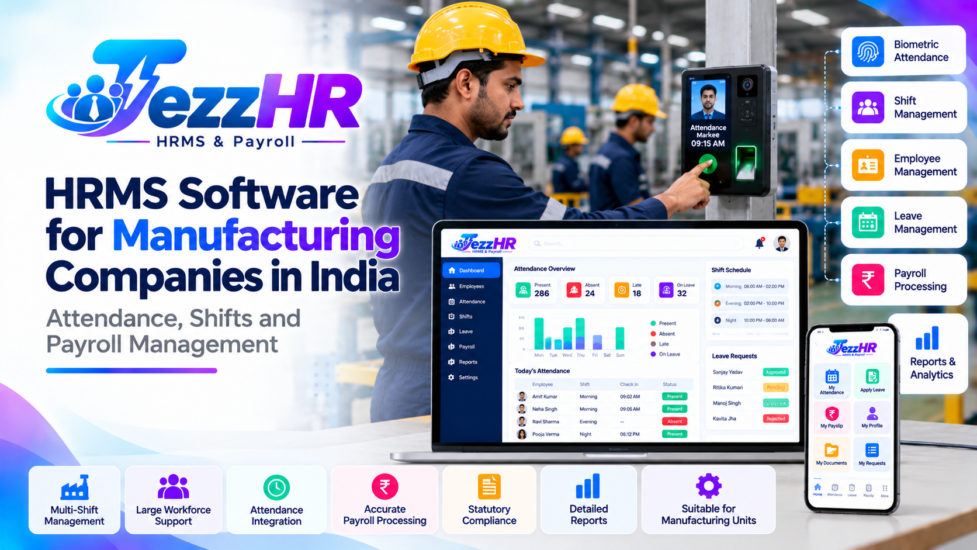
HRMS software for manufacturing companies in India helps businesses organise these human resource activities through a central digital platform. Depending on the software, it can support employee management, attendance tracking, shift scheduling, leave administration, payroll processing, and workforce reporting.
In this guide, we explain the key HRMS features manufacturing businesses should consider, how to manage factory attendance and shifts, and how an integrated HR system can support more efficient HR operations.
What Is HRMS Software for Manufacturing Companies?
HRMS stands for Human Resource Management System. It is software designed to manage employee information and HR processes in an organised manner.
For manufacturing companies, an HRMS needs to accommodate the operational requirements of a factory workforce, including shift-based work, attendance exceptions, different employee categories, and payroll-related records.
Depending on the selected product, manufacturing HRMS software may include:
- Employee database and department management.
- Factory worker attendance tracking.
- Shift scheduling and shift assignments.
- Leave and holiday management.
- Payroll and payslip processing.
- Overtime records and reporting.
- Employee self-service.
- Supervisor and manager approval workflows.
- Multiple factory and branch management.
- HR reports and workforce analytics.
A suitable system should align with the company’s actual working arrangements rather than force every employee into the same attendance and shift rules.
For example, a factory may have a general day shift for administrative staff, rotating shifts for production workers, and separate schedules for maintenance teams. The HRMS should be configured to handle these arrangements where the selected software supports them.
Why Do Manufacturing Companies Need HRMS Software?
Manufacturing operations often involve a combination of office-based employees, shift workers, contract workers, technical staff, and supervisors.
When attendance, leave, and payroll are managed separately, HR teams may need to reconcile multiple records before preparing monthly reports and salary calculations.
An HRMS can help address several common challenges.
1. Managing a Large Factory Workforce
As employee numbers increase, maintaining accurate employee records becomes more difficult.
A central HRMS database can organise employee details, departments, designations, reporting relationships, joining dates, employment status, and other authorised information.
This helps HR teams find relevant records without maintaining multiple disconnected spreadsheets.
2. Handling Multiple Shifts
Manufacturing companies may operate morning, evening, night, rotating, or extended shifts.
The system should support the applicable shift schedules and associate attendance records with the correct working period.
This is particularly important for night shifts that cross midnight, because attendance calculations can become inaccurate if shift boundaries are configured incorrectly.
3. Tracking Attendance Across Factory Locations
Companies operating multiple production units may need centralised attendance reports.
Depending on the product, administrators can manage employee records across locations and review attendance by factory, department, or shift.
Confirm whether the software supports the required location structure and attendance devices before implementation.
4. Reducing Manual Payroll Preparation
Payroll preparation may require attendance information, approved leave, overtime records, salary structures, and applicable deductions.
An integrated HRMS can make approved information available to the payroll workflow, reducing duplicate data entry.
Payroll calculations must still follow the organisation’s policies and applicable statutory requirements.
5. Improving HR Reporting
Managers and HR administrators need reliable information to understand staffing, attendance exceptions, and workforce administration.
A reporting dashboard can help them identify missing attendance records, review leave requests, and prepare workforce summaries.
Essential Features of Manufacturing HRMS Software
Not every manufacturing business needs the same modules. Evaluate each feature against your factory’s workforce size, operating schedule, and HR policies.
1. Employee Management
Employee management is the foundation of an HRMS.
The system should maintain relevant information for each employee, such as:
- Employee ID and name.
- Department and designation.
- Joining date and employment status.
- Reporting supervisor.
- Assigned factory or branch.
- Contact and emergency information, where appropriate.
- Employment documents and other authorised records.
If the company employs permanent, temporary, and contract workers, verify that the system can represent these categories according to the organisation’s requirements.
Access to confidential employee information should be restricted to authorised users.
2. Factory Attendance Management
Attendance management records employee check-ins, check-outs, and relevant attendance events.
Depending on the product and integration, the system may support biometric devices, attendance terminals, mobile attendance, or other approved methods.
Useful capabilities include:
- Daily and monthly attendance reports.
- Missing punch identification.
- Late-arrival and early-departure reports.
- Attendance regularisation requests.
- Shift-wise attendance summaries.
- Department-wise reporting.
- Attendance data export.
Before selecting an attendance solution, confirm device compatibility and how the system handles duplicate records, network outages, and attendance corrections.
3. Shift Scheduling and Rotation
Shift management is particularly important in manufacturing environments.
The software should support the schedules that the factory actually uses.
Potential requirements include:
- Fixed shifts.
- Rotating shifts.
- Employee-specific shift assignments.
- Department-wise shift schedules.
- Weekly offs and holiday calendars.
- Night shifts crossing midnight.
- Shift changes and approved substitutions.
- Shift-wise attendance reports.
For example, a company may assign production workers to morning, evening, and night shifts while maintaining a separate day schedule for office employees.
The system should apply the correct attendance rules to each schedule. Test representative shift changes and overnight scenarios before using the system for live payroll.
4. Overtime Management
Some manufacturing businesses need to track overtime or additional working hours.
An HRMS may record overtime information and provide reports for review. Depending on the product, overtime may be calculated automatically or entered through an authorised workflow.
Before implementation, define:
- When overtime begins.
- Which employee categories are eligible.
- How overtime requests are approved.
- How overtime records are corrected.
- Which rates and rules apply.
- How approved overtime reaches payroll.
Overtime eligibility, rates, working-hour limits, and payment rules must be configured according to applicable law and company policy. Do not assume every recorded additional hour is automatically payable at the same rate.
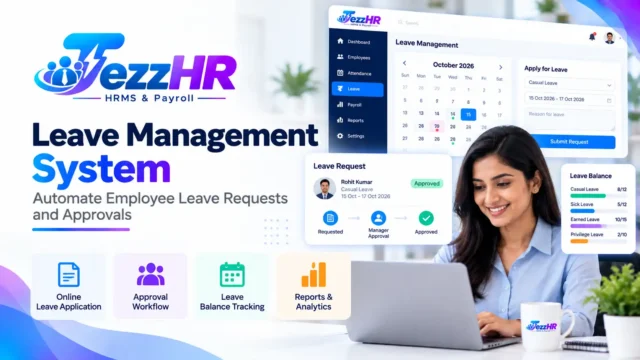
5. Leave and Holiday Management
Manufacturing companies may need different leave rules for employee categories, locations, or shift arrangements.
A leave management module can support leave applications, approval workflows, leave balances, and holiday calendars.
It should also coordinate with attendance records so that approved leave is not incorrectly treated as unexplained absence.
Read our related guide to Leave Management System.
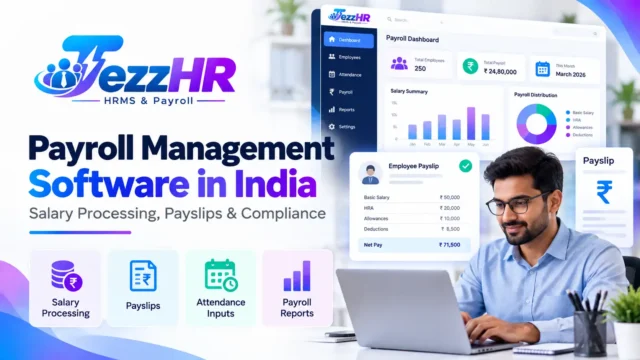
6. Payroll Processing
Payroll management brings together salary information and the relevant approved inputs needed to calculate employee payments.
Depending on the software, the payroll module may support:
- Employee salary structures.
- Earnings and deductions.
- Attendance-related inputs.
- Approved overtime inputs.
- Payslip generation.
- Payroll summaries and reports.
- Applicable statutory calculations and reporting.
Manufacturing businesses should confirm that the payroll module supports their employee categories, salary structures, and relevant Indian statutory requirements.
Payroll administrators should review calculations before finalising salaries.
Learn more about Payroll Management Software in India.
7. Employee Self-Service
An employee self-service portal can reduce routine HR queries by giving employees access to permitted services.
Depending on the solution, employees may be able to:
- View attendance records.
- Submit leave applications.
- Track request approvals.
- Access payslips.
- Update permitted personal details.
- Raise HR requests.
For factory workers who do not regularly use desktop computers, check whether the employee interface is practical on supported mobile devices or other workplace terminals.
8. Supervisor Approval Workflows
Factory supervisors often need to review attendance exceptions, shift changes, leave requests, and other employee-related matters.
An HRMS can route requests to the appropriate supervisor or manager where configurable workflows are available.
Approval permissions should follow the company’s reporting structure. The system should also maintain a record of important approvals and changes.
9. Multi-Factory Management
Manufacturing groups may operate several factories, warehouses, offices, or production units.
A suitable HRMS may provide centralised management with location-specific access and reporting.
Check whether the system supports:
- Multiple factories or branches.
- Location-wise employee assignments.
- Department and shift reporting.
- Separate approval structures.
- Transfers between locations.
- Central HR administration.
These capabilities vary by product and subscription plan.
10. HR Reports and Workforce Analytics
Reports help HR teams and managers review workforce administration.
Useful reports may include:
- Employee headcount by department.
- Daily attendance and absence.
- Shift-wise attendance.
- Late arrivals and missing punches.
- Approved leave summaries.
- Overtime records.
- Payroll summaries.
- Factory-wise employee reports.
More advanced analytics may be available in some systems, but businesses should verify the actual reporting capabilities rather than assume that every HRMS includes predictive workforce analytics.
How to Manage Factory Attendance and Shifts with HRMS
A clear process helps prevent attendance errors and reduces confusion during payroll preparation.
Step 1: Create employee records
Register employees in the HRMS and assign the relevant department, designation, reporting supervisor, and factory location.
Step 2: Configure shifts
Create the applicable shift schedules, working days, weekly offs, holidays, and grace periods.
Define the rules for night shifts and cross-midnight attendance.
Step 3: Connect attendance devices
If the factory uses biometric machines or other attendance terminals, verify that the HRMS supports the devices and required integrations.
Test attendance data transfer before going live.
Step 4: Record attendance
Employees record their attendance through the configured method.
The system collects attendance events according to the device and software capabilities.
Step 5: Review exceptions
HR or supervisors review missing punches, late arrivals, unusual working hours, and other exceptions.
Employees may submit correction requests if the workflow supports them.
Step 6: Approve leave and overtime records
Managers review relevant requests according to the company’s policies.
Only approved records should flow into the relevant payroll process where approval is required.
Step 7: Review payroll inputs
Before payroll processing, verify attendance, leave, overtime, salary information, and other relevant inputs.
Step 8: Generate reports
Generate the required attendance, shift, overtime, and payroll reports for authorised users.
Step 9: Maintain audit records
Keep appropriate records of corrections, approvals, and administrative changes to support internal review.
Benefits of HRMS Software for Manufacturing Businesses
Better Attendance Record Management
A digital attendance workflow can reduce dependence on paper registers and disconnected spreadsheets.
More Consistent Shift Calculations
Configured shift rules can help apply working-hour calculations consistently, provided the schedules and attendance rules are set up correctly.
Reduced Administrative Work
Centralised records and automated workflows can reduce repetitive data entry and routine HR coordination.
More Organised Payroll Preparation
Approved attendance and leave information can be made available to payroll, reducing the need to reconcile separate records manually.
Improved Workforce Visibility
Managers can use attendance and workforce reports to identify exceptions and review staffing information.
Centralised Multi-Location Administration
Where supported, a central HRMS can help manage employee information and HR workflows across multiple factories.
Clearer Approval Accountability
Role-based workflows and audit trails can help businesses understand who approved a request or changed an important record.
The actual benefits depend on the software’s capabilities, data accuracy, implementation quality, and employee adoption.
Cloud-Based HRMS vs Traditional Factory HR Management
| Factor | Manual or spreadsheet-based process | HRMS-based process |
|---|---|---|
| Employee records | Often maintained across files | Can be centralised |
| Attendance | May require manual consolidation | Can use supported automated data collection |
| Shift calculations | Depend on manual rules and spreadsheets | Can apply configured shift rules |
| Leave approvals | May rely on paper or email | Can use digital workflows |
| Payroll inputs | May require repeated data entry | Can use integrated approved records |
| Reporting | May need manual compilation | Can generate supported reports |
| Multi-factory visibility | May require separate files | Can be centralised when supported |
| Auditability | Depends on record-keeping practices | May include approval history and audit logs |
A digital HRMS does not remove the need for review. Incorrect employee records, shift settings, or payroll rules can still produce errors.
How Much Does Manufacturing HRMS Software Cost in India?
The cost of HRMS software depends on employee count, required modules, deployment model, integrations, implementation, and support.
Common pricing models include monthly subscriptions, annual plans, per-employee pricing, and customised enterprise packages.
Before selecting a product, request a quotation that clearly identifies:
- Included employee capacity.
- Attendance and shift management features.
- Payroll capabilities.
- Biometric device integrations.
- Multi-location support.
- Implementation and training charges.
- Support and maintenance.
- Customisation and integration costs.
- Renewal pricing.
- Data export and account termination arrangements.
If your factory uses multiple attendance devices or complex shift schedules, include those requirements in the vendor demonstration and quotation.
Compare the total cost of ownership rather than choosing software based only on its starting price.
How to Choose the Best HRMS for Your Manufacturing Company
1. Assess your workforce structure
Document employee numbers, departments, worker categories, factory locations, and reporting relationships.
2. Map every shift
Prepare a list of working schedules, rotating shifts, night shifts, weekly offs, holidays, and overtime arrangements.
3. Test attendance-device compatibility
Confirm support for existing biometric machines or other attendance devices before making a purchase.
4. Review payroll requirements
Check salary structures, attendance inputs, overtime policies, deductions, and applicable statutory requirements.
5. Verify reporting and approvals
Confirm that supervisors, HR administrators, and business owners can access the information and approvals relevant to their roles.
6. Evaluate security and privacy
Review authentication, permissions, audit logs, backup arrangements, data retention, and protection of employee information.
7. Run a practical demonstration
Ask the vendor to demonstrate employee registration, a night shift, an attendance correction, leave approval, overtime review, and payroll preparation.
8. Check implementation and support
Understand data migration, training, device integration, technical support, and the time required to configure your factory’s working rules.
How TezzHR Can Support Manufacturing HR Requirements
TezzHR is TezzSoft’s HRMS and payroll product. Manufacturing companies evaluating an HR management solution can start with the TezzSoft HR & Payroll Management Software page.
When evaluating TezzHR, review whether the current product configuration meets your requirements for:
- Employee information management.
- Attendance tracking.
- Shift and working-hour management.
- Leave administration.
- Payroll processing.
- Employee self-service.
- HR reports and dashboards.
- Multiple factories or branches.
- Biometric attendance integrations.
Ask the TezzSoft team to confirm the specific features, device compatibility, shift rules, integration options, and pricing available for your organisation before making a decision.
Explore the product at TezzHR.
Frequently Asked Questions
1. What is the best HRMS software for manufacturing companies in India?
The best solution depends on employee count, shift complexity, attendance devices, payroll requirements, reporting needs, and budget. Compare products using real factory scenarios before selecting one.
2. Can HRMS software manage multiple factory shifts?
Some HRMS products support multiple and rotating shifts. Confirm that the software handles your shift schedules, overnight work, weekly offs, and applicable attendance rules.
3. Can manufacturing HRMS software integrate with biometric machines?
Some systems integrate with supported biometric devices. Check the device model, connection method, and compatibility requirements with the vendor.
4. Can HRMS software calculate factory overtime?
Some products support overtime records and calculations. Confirm the applicable policies, approval process, employee eligibility, and statutory requirements before using the results for payroll.
5. Can HRMS software manage contract workers?
This depends on the product’s employee categories and workforce management features. Verify whether it supports your contract-worker records, access requirements, and reporting needs.
6. Can HRMS software process factory payroll?
Products with payroll modules can support salary processing using configured salary structures and approved inputs. Verify statutory functionality and review calculations before finalising payments.
7. Is HRMS useful for small manufacturing companies?
Yes. Small manufacturers can start with essential employee records, attendance, leave, and payroll functions, then expand as operational needs grow.
8. Can HRMS software manage multiple factory locations?
Some systems support centralised multi-location administration. Check whether the software supports your locations, employee assignments, permissions, and reporting structure.
9. Does factory HRMS software work without an internet connection?
Offline capabilities depend on the software and connected devices. Ask how attendance records are stored and synchronised during network interruptions.
10. Where can I learn more about TezzHR?
Visit TezzHR or the TezzSoft HR & Payroll Management Software page to review the product and enquire about supported features.
Conclusion
HRMS software can help manufacturing companies organise employee records, attendance, shifts, leave, payroll, and workforce reporting.
The right system should support the factory’s working schedules, integrate with compatible attendance devices, provide reliable approval workflows, and help HR teams prepare accurate payroll inputs.
Before implementation, document your workforce requirements, test complex shifts, verify integrations, and review security and compliance needs.
If your manufacturing business is looking for an integrated HR and payroll solution, explore TezzSoft HR & Payroll Management Software to see whether TezzHR meets your operational requirements.
Related Articles
- Best HRMS Software in India: Features, Benefits and How to Choose
- Payroll Management Software in India
- Employee Attendance Management Software
- Leave Management System
- Employee Self-Service Portal
- HR Software for Small Businesses in India
- Biometric Attendance Software in India
- Cloud-Based HRMS Software in India
Editorial note: Confirm TezzHR’s current product features, manufacturing-specific capabilities, supported devices, and integrations before publishing product-specific claims.