Processing employee salaries every month involves more than transferring money to bank accounts. Businesses must maintain salary structures, review attendance, calculate payable days, apply relevant deductions, generate payslips, and maintain payroll records.
When these activities are handled manually using spreadsheets, even a small change in attendance or salary can require multiple updates. As a company grows, payroll administration becomes more complicated.
Payroll management software in India helps businesses organise and automate important parts of the salary processing cycle. It can reduce repetitive calculations, improve record management, and help HR and finance teams prepare payroll more efficiently.
In this guide, we explain how payroll software works, which features businesses should evaluate, how Indian payroll requirements affect salary processing, and how to choose the right solution for your organisation.
What Is Payroll Management Software?
Payroll management software is a digital system used to calculate employee salaries, manage earnings and deductions, generate payslips, and maintain payroll reports.
Depending on the product, it may also connect payroll with attendance, leave management, employee records, reimbursement claims, and other HR activities.
For example, an employee’s monthly salary may depend on their salary structure, days worked, approved leave, unpaid leave, overtime, incentives, and applicable deductions.
A payroll system brings these inputs together according to configured payroll rules, calculates the resulting amounts, and helps the authorised payroll team review the results before salaries are finalised.
Payroll software can be used by startups, small businesses, manufacturing companies, hospitals, educational institutions, retail businesses, service providers, and larger organisations.
Why Do Businesses in India Need Payroll Software?
Indian businesses may need to account for different salary structures, state-specific requirements, employee categories, attendance policies, and applicable statutory deductions.
Managing these details manually can create avoidable administrative work.
1. Reduce manual salary calculations
Payroll teams may need to calculate basic salary, allowances, incentives, overtime, reimbursements, deductions, and loss of pay.
Payroll software can automate configured calculations and reduce the need to maintain complex spreadsheet formulas.
2. Improve payroll consistency
A standardised payroll process helps the organisation apply approved salary structures and calculation rules consistently.
Exception reports and review workflows can also help identify unusual salary changes or missing information before payroll approval.
3. Save time during monthly payroll
Without an integrated system, HR teams may need to collect attendance data, update employee records, calculate salaries, prepare payslips, and compile reports separately.
Payroll automation can streamline these activities and reduce repeated data entry.
4. Maintain organised payroll records
A central payroll system can help maintain salary history, payslips, payroll registers, and deduction records.
This makes it easier for authorised users to retrieve information for employee queries, management reports, and audits.
5. Support payroll compliance
Payroll software can help calculate applicable statutory deductions and prepare relevant reports. However, employers remain responsible for verifying the applicable rules, employee eligibility, calculations, filing requirements, and payment deadlines.
Essential Features of Payroll Management Software
Before choosing a payroll solution, identify the features that match your organisation’s payroll process.
1. Employee Salary Structure Management
Every employee may have a different salary structure depending on their role, employment terms, and compensation package.
Look for software that supports configurable salary components, such as:
- Basic salary
- House Rent Allowance (HRA)
- Special and other allowances
- Incentives and variable pay
- Overtime payments
- Reimbursements, where supported
- Employee and employer contributions
- Configurable deductions
The software should allow authorised users to maintain salary revisions and preserve appropriate payroll history.
2. Attendance-Based Salary Calculation
Attendance and leave records can affect employee salaries.
For example, an employee’s payable salary may depend on their attendance, approved leave, unpaid leave, shift schedule, or overtime policy.
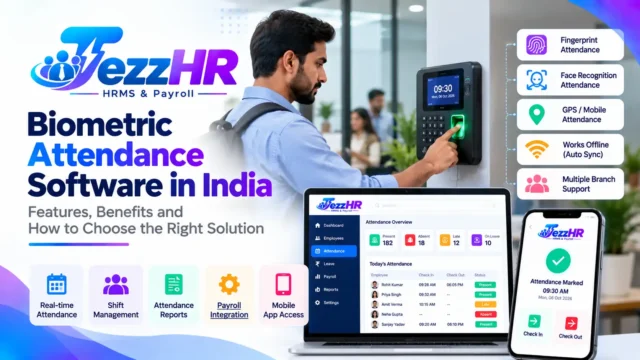
Payroll software integrated with attendance management can help reduce manual data transfers.
Useful features include attendance summaries, payable-day calculations, overtime inputs, and loss-of-pay calculations based on the organisation’s configured policies.
Before selecting a solution, confirm how it handles incomplete attendance records, corrections, new joiners, and employees leaving during a payroll period.
3. Automated Payroll Processing
Payroll processing typically involves collecting inputs, calculating earnings and deductions, reviewing results, approving payroll, and preparing payment information.
A good system should make this workflow easy to understand and repeat every month.
Evaluate whether it supports:
- Monthly payroll runs
- Salary calculations for multiple employees
- Configurable earning and deduction rules
- New joiner and exit-related calculations
- Salary revisions and adjustments
- Payroll review and approval
- Payroll summaries and registers
- Historical payroll records
Automation should reduce repetitive work without removing the need for appropriate financial controls and human review.
4. Payslip Generation
A payslip provides employees with a breakdown of their salary for a particular pay period.
It commonly includes employee details, earnings, deductions, gross salary, and net payable salary.
Payroll software can generate payslips using the finalised payroll data. Depending on the platform, payslips may be downloadable as PDFs or made available through an employee portal.
Before buying software, check whether payslips can be customised with your company branding and whether employees can securely access their own salary records.
5. PF, ESI, TDS and Other Applicable Deductions
Indian employers may need to manage several statutory payroll components, depending on their organisation, employees, location, and applicable law.
These can include:
Provident Fund (PF): Employee and employer contributions where applicable, along with relevant payroll records.
Employees’ State Insurance (ESI): Contributions and reporting for eligible employees and employers where applicable.
Tax Deducted at Source (TDS): Salary-related tax deductions and reporting based on applicable tax rules and employee information.
Professional Tax: State-specific requirements where professional tax applies.
Other applicable contributions: Depending on the organisation and circumstances, additional statutory components may need to be considered.
When evaluating payroll software, ask which calculations, reports, statements, and filing-related outputs are supported. Confirm how updates to applicable rules are handled.
Do not assume that software automatically completes every government filing or guarantees compliance simply because a statutory feature is listed.
6. Payroll Reports and Salary Registers
Payroll reports help HR, finance, and management teams review salary information and reconcile payroll before payment.
Depending on the software, useful reports may include:
- Monthly salary register
- Employee-wise salary statement
- Department-wise payroll summary
- Earnings and deductions report
- PF and ESI reports, where supported
- TDS reports, where supported
- Payroll cost summary
- Salary revision history
Report access should be controlled according to each user’s responsibilities because payroll information is confidential.
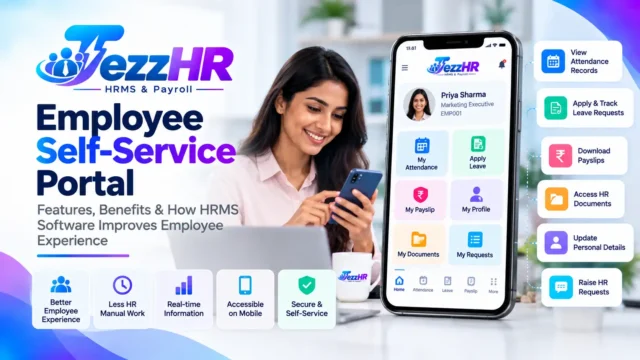
7. Employee Self-Service
An employee self-service portal can reduce the number of routine questions HR teams receive about salary documents.
Depending on the system, employees may be able to view or download payslips, check selected payroll information, submit HR requests, or access related employee services.
Self-service features should provide secure, employee-specific access rather than exposing payroll records to unauthorised users.
8. Integration with HRMS Software
Payroll is closely connected to other HR processes.
For example, employee records provide salary information, attendance determines payable days, and approved leave can affect payroll calculations.
When these activities are managed in separate systems, teams may need to enter the same information multiple times.
An integrated HRMS can help connect employee management, attendance, leave, and payroll into a more consistent workflow.
For a broader overview, read our guide to Best HRMS Software in India.
How Does Payroll Software Work?
A typical payroll cycle can be organised into six stages.
Step 1: Maintain employee information
Create employee records containing relevant employment details, salary structures, joining dates, bank information, and other required payroll inputs.
Access to sensitive information should be restricted to authorised users.
Step 2: Collect attendance and payroll inputs
Review attendance, approved leave, overtime, incentives, reimbursements, salary revisions, and other relevant adjustments for the payroll period.
Resolve missing or inconsistent records before calculations begin.
Step 3: Calculate salaries
The system applies the configured salary structures, payable days, earnings, deductions, and applicable statutory rules.
The results should be checked against the organisation’s payroll policies and current requirements.
Step 4: Review and approve payroll
The authorised payroll team reviews salary totals, unusual changes, deduction values, new joiners, exits, and other exceptions.
An approval workflow can help separate payroll preparation from final approval where the organisation requires it.
Step 5: Finalise payments and payslips
After approval, the business arranges salary payments using its authorised payment process and generates the relevant payslips.
If supported, the software may also prepare bank payment files in the required format.
Step 6: Maintain records and reports
Store payroll summaries, payslips, payment records, and relevant statutory reports securely.
These records help with reconciliation, employee queries, management reporting, and future payroll periods.
Payroll Management Software vs Manual Payroll in Excel
Many small businesses start with spreadsheets because they are familiar and inexpensive. However, spreadsheets can become harder to manage when payroll involves numerous employees, changing salary structures, multiple locations, or several approval steps.
| Area | Manual Excel payroll | Payroll management software |
|---|---|---|
| Salary calculations | Formula-based and manually maintained | Configured calculations can be automated |
| Attendance inputs | Often transferred manually | May integrate with attendance |
| Payslips | Often created separately | Can be generated from payroll data |
| Payroll reports | Frequently compiled manually | Available through configured reports |
| Approval workflow | Often managed through email or messages | May include structured approvals |
| Payroll history | Depends on file management | Can be maintained centrally |
| Access control | Depends on spreadsheet permissions | May provide role-based permissions |
Excel can remain useful for data preparation and analysis. Payroll software becomes more valuable when a business needs a repeatable process, connected HR data, stronger controls, and more organised records.
How to Choose the Best Payroll Software in India
Choosing payroll software requires more than comparing prices or counting features.
1. Assess your business requirements
List your current employee count, payroll frequency, salary structures, attendance policies, locations, and reporting needs.
Identify the problems you want to solve first.
2. Check Indian payroll requirements
Verify support for applicable PF, ESI, TDS, professional tax, and other relevant requirements.
Ask the vendor how statutory changes are handled and whether the system generates the reports you need.
3. Evaluate attendance integration
If attendance affects salary calculations, check whether the software can connect to your existing attendance system or import the required data reliably.
Ask how it handles corrections, overtime, shifts, and unpaid leave.
4. Review payslips and reporting
Confirm that the system generates the payslip format and payroll reports required by your HR, finance, and management teams.
Check whether reports can be exported and whether payroll history is accessible.
5. Examine security and permissions
Payroll information contains confidential financial and employee data.
Review user permissions, authentication, backup arrangements, audit trails, data retention, and data export options.
6. Compare the total cost
Ask for a clear quotation covering subscriptions, employee limits, modules, implementation, data migration, training, integrations, support, and renewal charges.
The lowest initial price may not be the most economical option if important capabilities require additional fees.
7. Request a demonstration
Ask the vendor to demonstrate a realistic payroll cycle using sample employee data.
Test salary calculations, attendance inputs, deductions, payslip generation, approval workflows, and reporting before making a decision.
How TezzHR Can Help with HR and Payroll Management
TezzHR is the HRMS and payroll product from TezzSoft. Its HR & Payroll Management Software page describes features covering important employee management and salary administration activities.
Depending on your requirements and the available configuration, the platform can be evaluated for capabilities such as:
- Employee management: Organising employee profiles and relevant employment information.
- Attendance management: Maintaining attendance information for payroll inputs.
- Leave management: Managing leave records and related approval workflows.
- Payroll processing: Handling configured salary components, earnings, and deductions.
- Payslip generation: Preparing employee salary statements.
- Compliance-related payroll features: Supporting relevant payroll calculations and reports for applicable deductions.
- Employee self-service: Providing access to supported employee services.
- HR reports: Reviewing available employee and payroll information.
The benefit of an integrated approach is that connected HR information can reduce repeated data entry and make payroll administration more structured.
Before implementation, confirm the specific modules, statutory workflows, integrations, employee limits, and pricing that apply to your business.
To learn more, visit TezzHR or explore the TezzSoft HR & Payroll Management product page.
Common Payroll Mistakes Businesses Should Avoid
Even with software, payroll requires accurate inputs and appropriate review.
Incorrect employee information
Incorrect joining dates, salary components, bank details, or tax information can affect payroll outcomes. Validate employee records before processing salaries.
Missing attendance adjustments
Unapproved corrections, missing punches, or incomplete leave records can produce incorrect payable-day calculations. Establish a clear deadline for submitting and approving attendance changes.
Incorrect deduction settings
Deduction rules must reflect the employee’s circumstances and the applicable requirements. Review configuration changes when salary structures or relevant rules change.
Skipping payroll review
Automated calculations still depend on correct data and configuration. Review unusual salary changes, negative values, missing inputs, and unexpected totals before approval.
Poor access management
Payroll files should not be available to everyone in the organisation. Apply role-based access and maintain appropriate controls over exports and employee documents.
Incomplete record keeping
Maintain relevant payslips, payroll summaries, payment evidence, and statutory records according to applicable retention requirements and internal policies.
Frequently Asked Questions About Payroll Software in India
1. What is payroll management software?
Payroll management software helps businesses calculate employee salaries, manage earnings and deductions, generate payslips, and maintain payroll records. Many systems also support attendance integration, payroll reporting, and applicable statutory calculations.
2. Which payroll software is best for small businesses in India?
The right solution depends on employee count, salary complexity, budget, attendance requirements, statutory needs, and support. Small businesses should prioritise ease of use, accurate calculations, essential reports, secure employee records, and transparent pricing.
3. Can payroll software calculate salaries automatically?
Yes, many payroll systems automate salary calculations using configured salary structures, attendance, leave, and deduction rules. The payroll team should still validate inputs and review the results before finalising payment.
4. Does payroll software support PF, ESI, and TDS?
Many payroll systems provide support for applicable PF, ESI, and TDS calculations or reports. Features differ between products, so confirm the exact coverage, eligibility rules, filing outputs, and update process with the vendor.
5. Can payroll software generate employee payslips?
Yes, payslip generation is a common payroll feature. Depending on the software, employees may be able to download payslips from a portal or receive them through supported delivery channels.
6. Can attendance data be connected to payroll?
Many HRMS and payroll systems support attendance integration or data imports. This can help calculate payable days, overtime, and loss of pay using approved attendance records.
7. Is cloud-based payroll software suitable for Indian companies?
Cloud-based payroll software can provide browser-based access, centralised records, and vendor-managed updates. Businesses should review security controls, availability, support, data handling, and connectivity requirements before selecting a provider.
8. How much does payroll software cost in India?
Costs vary by employee count, features, deployment model, integrations, support, and implementation requirements. Request a detailed quotation that distinguishes recurring subscription charges from one-time fees.
9. Does payroll software eliminate all payroll errors?
No. Software can reduce manual calculations and repeated data entry, but incorrect employee records, outdated settings, incomplete attendance, or configuration mistakes can still affect results. Validation and payroll review remain important.
10. Where can I learn more about TezzHR payroll software?
Visit the TezzHR website or the TezzSoft HR & Payroll Management page to review the available features and contact the team about a demonstration.
Conclusion
Payroll management software in India can help businesses streamline salary processing, connect attendance with payroll, generate payslips, maintain records, and organise payroll reporting.
The right solution should fit your salary structures, employee policies, statutory requirements, budget, and internal approval process. Before purchasing, evaluate the actual features, test realistic payroll scenarios, and confirm how the vendor handles compliance-related updates.
If your business wants to manage employee information and payroll activities through an integrated HRMS, explore TezzSoft HR & Payroll Management Software to see whether TezzHR meets your requirements.
Related articles:
- Best HRMS Software in India: Features, Benefits and How to Choose
- Employee Attendance Management Software: A Complete Guide
- Leave Management System: Automating Employee Leave Requests
Editorial note: Confirm product features with the current TezzHR offering and verify applicable Indian payroll and statutory requirements before publication.