Managing employees, attendance, leave requests, salary processing, and HR documentation can become increasingly complicated as a business grows. When these activities are handled through spreadsheets, paper registers, and disconnected applications, HR teams may spend more time on administration and less time supporting employees.
This is where HRMS software in India can help. A Human Resource Management System (HRMS) brings essential HR processes together in a single platform, helping businesses organise employee information, streamline workflows, and manage payroll more efficiently.
Whether you operate a startup, small business, manufacturing company, retail chain, or service organisation, choosing the right HRMS can help you establish consistent processes as your workforce expands.
In this guide, we explain what HRMS software is, which features matter most, how HRMS and payroll systems work together, and what Indian businesses should consider before choosing a solution.
What Is HRMS Software?
HRMS stands for Human Resource Management System. It is software designed to manage employee information and automate routine human resource activities throughout the employee lifecycle.
Depending on the solution, an HRMS may include employee records, recruitment, onboarding, attendance tracking, leave management, payroll processing, performance reviews, employee self-service, and HR reporting.
Instead of maintaining separate records for every activity, an organisation can use a central system to manage employee information and connect related processes.
For example, attendance and approved leave records can be used during payroll processing. Employee details can support payslip generation, while HR reports can help managers review workforce information.
A modern HRMS can be especially useful for businesses that have multiple departments, branches, employee categories, or approval levels.
Why Do Businesses in India Need HRMS Software?
Indian businesses often manage a combination of fixed salaries, variable pay, attendance-based deductions, paid leave, overtime, employee documents, and statutory payroll requirements. Handling these activities manually can become difficult as the number of employees increases.
Here are some common reasons businesses consider HRMS software.
1. Reduce repetitive administrative work
HR teams frequently update employee records, calculate attendance, process leave applications, prepare payroll inputs, and answer routine employee questions.
An HRMS can organise these activities through standard workflows, reducing repeated data entry and manual coordination.
2. Improve employee record management
Employee information may be spread across spreadsheets, emails, paper files, and shared folders. A central employee database makes it easier for authorised users to access relevant information.
Depending on the system, records may include contact details, department, designation, joining date, salary structure, employment documents, and employment history.
3. Connect attendance with payroll
Attendance data can affect payable working days, overtime, late marks, and loss-of-pay calculations.
When attendance, leave, and payroll are connected, HR teams can review relevant records before calculating salaries rather than repeatedly transferring data between separate files.
4. Establish consistent approval workflows
Leave requests, attendance corrections, employee document requests, and other HR activities may require approval from a reporting manager or HR administrator.
An HRMS can provide defined approval workflows, helping employees understand the process and managers track pending requests.
5. Support reporting and business decisions
HR reports can help management review headcount, department-wise workforce costs, attendance patterns, leave utilisation, and other operational indicators.
These insights can support workforce planning when the underlying information is accurate and up to date.
Essential Features to Look for in the Best HRMS Software in India
Not every business needs the same features. Before choosing an HRMS, identify the processes your organisation wants to improve first.
1. Employee Management
Employee management is the foundation of an HRMS.
Look for a system that allows authorised HR users to maintain employee profiles, departments, designations, joining dates, employment documents, and other relevant information.
Useful capabilities include:
- Centralised employee database
- Department and designation management
- Employee document storage
- Employment history and status
- Role-based access to employee records
- Employee onboarding and offboarding workflows
A well-organised employee database helps reduce duplicate records and makes information easier to maintain.
2. Attendance Management
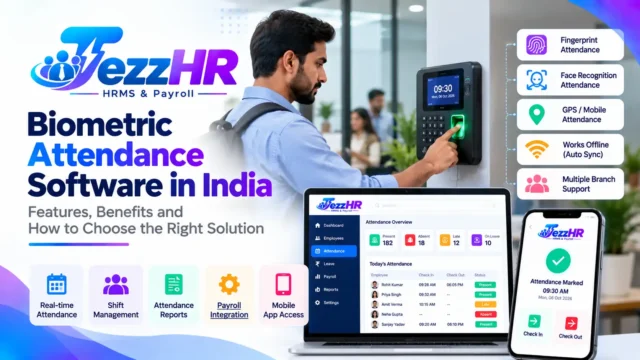
Attendance management software helps businesses record and review employee working hours.
Depending on the solution, attendance may be captured through biometric devices, mobile applications, or authorised manual entries.
Important features include:
- Daily attendance records
- Late arrival and early departure tracking
- Shift and working-hour management
- Overtime calculations
- Attendance correction requests
- Integration with payroll
- Attendance reports by employee or department
Businesses with field employees or multiple locations should also evaluate whether mobile attendance and location-based verification meet their operational requirements.
3. Leave Management
Managing leave through emails or paper forms can make it difficult to track available balances and pending approvals.
A leave management module can help employees submit requests and allow managers to approve or reject them through a defined workflow.
Look for features such as:
- Configurable leave types and policies
- Leave balance tracking
- Manager approval workflows
- Holiday calendars
- Leave history
- Leave encashment, where applicable
- Integration with attendance and payroll
The system should support the leave policies relevant to your organisation.
4. Payroll Management Software
Payroll is one of the most important parts of an HRMS for businesses that want to streamline salary processing.
Payroll software can help calculate earnings, deductions, and net payable salaries using configured salary structures and approved payroll inputs.
Important capabilities include:
- Basic salary, HRA, and allowance configuration
- Attendance and loss-of-pay inputs
- Overtime and variable-pay handling
- Configurable deductions
- Payslip generation
- Payroll summaries and reports
- Bank payment file preparation, where supported
- Payroll history and audit records
For Indian businesses, evaluate support for applicable statutory requirements, including Provident Fund (PF), Employees’ State Insurance (ESI), professional tax where applicable, and tax deducted at source (TDS).
Software can assist with calculations and reporting, but employers must verify applicability, thresholds, current rules, and filing obligations for their circumstances.
Explore TezzSoft HR & Payroll Management Software to learn about its employee management, attendance, leave, payroll, payslip, and compliance-related capabilities.
5. Payslips and Employee Documents
Employees frequently need payslips, employment letters, experience certificates, and other official documents.
An HRMS with document-generation capabilities can help HR teams prepare standard documents and maintain employee records.
Depending on the system, payslips may be generated in PDF format and distributed through email, WhatsApp, or an employee portal.
Before selecting a solution, check which document formats, delivery methods, and approval options are actually supported.
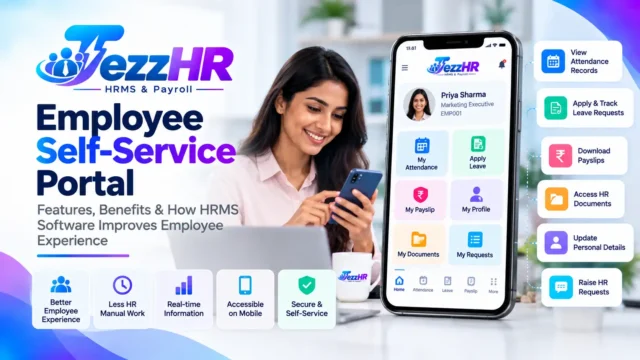
6. Employee Self-Service Portal
An employee self-service portal allows employees to access selected HR services without contacting the HR department for every routine request.
Useful capabilities may include:
- Viewing payslips
- Applying for leave
- Checking attendance
- Updating permitted personal details
- Requesting employment documents
- Submitting HR queries
Mobile access can be particularly useful for employees who work across branches or spend time away from a central office.
Check that the portal offers suitable access controls to protect confidential employee information.
7. Recruitment and Onboarding
Growing organisations may need a structured process for hiring and integrating new employees.
An HRMS with recruitment and onboarding capabilities can help manage job applications, interviews, offer letters, joining documents, and onboarding checklists.
The objective is to establish a consistent process from candidate selection through the employee’s first days at work.
8. HR Reports and Analytics
HR reports help organisations review workforce information without manually compiling multiple spreadsheets.
Depending on the platform, reports may cover:
- Employee headcount
- Department-wise workforce distribution
- Attendance summaries
- Leave utilisation
- Payroll costs
- Employee turnover
- Performance reviews
Managers should have access only to the reports and employee information appropriate to their roles.
9. Security and Access Control
An HRMS stores sensitive information such as employee contact details, salary records, employment documents, and attendance history.
Security should therefore be a key part of the selection process.
Evaluate role-based permissions, secure authentication, data backups, audit trails, data retention policies, and the provider’s approach to data protection.
Ask the vendor how employee data is stored, who can access it, and what happens when an employee or administrator leaves the organisation.
HRMS Software vs Payroll Software: What Is the Difference?
HRMS and payroll software overlap, but they do not necessarily cover the same range of activities.
| Capability | Payroll software | HRMS software |
|---|---|---|
| Salary calculations | Core function | Often included |
| Payslips and payroll reports | Core function | Often included |
| Employee records | Basic or integrated | Usually broader |
| Attendance and leave | May be integrated | Common module |
| Recruitment and onboarding | Not always included | May be included |
| Employee self-service | Depends on product | Common capability |
| Performance management | Usually limited | May be included |
If your main requirement is calculating salaries, dedicated payroll software may be sufficient.
If you also need employee records, attendance, leave, onboarding, and employee services, an integrated HRMS with payroll may be a better fit.
For a broader understanding of salary processing, read our upcoming guide to Payroll Management Software in India.
How to Choose the Right HRMS Software for Your Business
The best HRMS is not necessarily the one with the longest feature list. It is the one that fits your business processes, budget, workforce, and future requirements.
Use the following checklist before making a decision.
Step 1: Identify your current HR problems
List the processes that consume the most time or create recurring errors.
For example, your priorities may be attendance reconciliation, monthly payroll, employee documentation, leave approvals, or managing staff across multiple branches.
Step 2: Define your must-have features
Separate essential requirements from optional features.
A small company may initially need employee records, attendance, leave, and payroll. A larger organisation may additionally require advanced reporting, recruitment, performance reviews, multiple locations, and integrations.
Step 3: Check payroll and compliance requirements
Confirm that the system supports your salary structures, relevant deductions, payroll periods, reporting needs, and applicable statutory requirements.
Ask the vendor to demonstrate a realistic payroll scenario using sample data before purchasing.
Step 4: Evaluate usability and mobile access
An HRMS works best when HR teams, managers, and employees can use it consistently.
Review the employee interface, manager approvals, mobile experience, reports, and day-to-day workflows.
Step 5: Understand pricing and implementation
Compare the total cost, including subscriptions or licences, setup, employee data migration, training, integrations, support, and future upgrades.
Ask whether the pricing changes with employee count, branches, modules, or additional users.
Step 6: Request a live demonstration
A product demonstration helps you understand how the system handles your actual requirements.
Ask the vendor to show employee creation, attendance review, leave approval, payroll calculation, payslip generation, and the reports you need.
Step 7: Review support and data security
Clarify how onboarding works, how quickly technical issues are handled, whether backups are available, and how data can be exported if you change providers.
Document these requirements before signing an agreement.
How TezzHR Can Help Manage HR and Payroll
TezzHR is the HRMS product offered by TezzSoft. Its HR and Payroll Management solution brings together several core workforce management activities.
According to the TezzSoft HR & Payroll product page, the solution includes capabilities for:
- Employee management: Maintain employee profiles, documents, designations, departments, and salary information.
- Attendance management: Work with biometric, mobile, and manual attendance inputs, along with configured working-hour calculations.
- Leave management: Manage leave applications, approval workflows, balances, and leave encashment.
- Payroll processing: Calculate configured salary components, deductions, and net payable amounts.
- Payslips and letters: Generate employee payslips and selected employment documents.
- Payroll compliance support: Access features for PF, ESI, TDS, and related payroll reports.
- Employee self-service: Give employees access to supported services such as payslips, leave requests, and personal information updates.
- HR reporting: Review workforce information through available reports and analytics.
The right combination of modules depends on your organisation’s requirements. Before implementation, confirm the required features, integrations, applicable compliance workflows, and pricing with the TezzSoft team.
Visit TezzHR or explore the HR & Payroll Management Software page to learn more and request a product demonstration.
Benefits of Implementing an HRMS
When implemented properly, HRMS software can help an organisation establish more consistent and traceable HR processes.
Less manual administration
Standardised employee records, approval workflows, and payroll inputs can reduce repeated data entry.
Better access to information
Authorised employees and managers can access the information relevant to their roles without relying entirely on separate spreadsheets and paper files.
More organised payroll processing
Connecting attendance, leave, and salary information can make payroll preparation more structured. HR and finance teams should still review exceptions and verify calculations before final approval.
Improved employee experience
Self-service features can make routine requests easier and reduce unnecessary back-and-forth communication.
More informed workforce planning
Consistent reports can help managers understand headcount, attendance, workforce costs, and other relevant indicators.
Actual results depend on the software configuration, data quality, employee adoption, and the organisation’s existing processes.
Common Mistakes to Avoid When Buying HRMS Software
Avoid these common mistakes during selection and implementation:
- Choosing software based only on price: A low-cost system may not cover the workflows your organisation needs.
- Ignoring payroll edge cases: Test overtime, unpaid leave, variable earnings, arrears, and other relevant salary scenarios.
- Overlooking employee adoption: A complex interface can reduce usage and increase support requests.
- Skipping data migration checks: Verify employee records, salary structures, attendance history, and leave balances before going live.
- Assuming every compliance task is automatic: Confirm which calculations, reports, returns, and filing steps the system supports.
- Ignoring security: Check access controls, backups, audit trails, and data handling practices.
- Failing to train users: Train HR administrators, managers, and employees according to their roles.
A planned implementation with clear ownership and testing is more useful than simply installing software and expecting every process to improve immediately.
Frequently Asked Questions About HRMS Software in India
1. What is the best HRMS software in India?
The best HRMS depends on your workforce size, budget, required features, payroll complexity, integrations, and support expectations. Compare solutions using a consistent checklist and request a demonstration based on your actual workflows.
2. How much does HRMS software cost in India?
Pricing varies according to employee count, available modules, deployment model, integrations, implementation services, and support. Ask vendors for a complete quotation that explains recurring and one-time charges.
3. Is HRMS software suitable for small businesses?
Yes. Small businesses can use HRMS software to organise employee records, attendance, leave, and payroll without building separate manual processes for every activity. Choose a system that fits current needs and can accommodate future growth.
4. What is the difference between HRMS and HRIS?
HRIS generally refers to a Human Resource Information System focused on employee information and HR records. HRMS is often used for a broader suite of HR processes and workflows. In practice, vendors sometimes use these terms interchangeably, so compare actual features rather than relying on the product label.
5. Can HRMS software automate salary processing?
Many HRMS platforms include payroll automation. They can use configured salary structures and approved payroll inputs to calculate earnings, deductions, and net pay. The extent of automation varies by product, and payroll should be reviewed before finalisation.
6. Does HRMS software support PF, ESI, and TDS?
Some HRMS and payroll systems provide calculations, reports, and related documentation for these requirements. Confirm the exact capabilities, applicability, current statutory rules, and filing workflow with the vendor and your payroll or tax professional.
7. Can employees access HRMS through a mobile app?
Many HRMS platforms provide mobile access to selected employee services. Depending on the product, employees may be able to view payslips, submit leave requests, review attendance, and access other permitted information.
8. How long does HRMS implementation take?
Implementation time depends on employee count, data quality, configuration, integrations, payroll complexity, and training requirements. Ask the vendor for a project plan that covers migration, testing, user training, and the first payroll run.
9. Is cloud-based HRMS software better than an on-premise system?
Cloud-based systems can simplify access and vendor-managed updates, while on-premise deployments may suit organisations with particular infrastructure or data-control requirements. Compare security, availability, maintenance responsibilities, costs, and internal IT capacity before deciding.
10. Where can I learn more about TezzHR?
Visit the official TezzHR website or the TezzSoft HR & Payroll Management product page to review the available capabilities and request a demonstration.
Conclusion
Choosing the right HRMS software in India requires more than comparing feature lists. Businesses should evaluate how well a system manages employee records, attendance, leave, payroll, reporting, security, and the workflows their teams use every day.
An integrated HRMS can help reduce repetitive administration, improve access to workforce information, and establish more consistent HR processes as a business grows.
Before selecting a solution, document your requirements, test realistic workflows, review payroll and compliance capabilities, and understand the full implementation cost.
If your organisation is looking to bring employee management and payroll activities into one system, explore TezzSoft HR & Payroll Management Software and request a demonstration to see whether it meets your business requirements.
Related reading: Explore our upcoming guides on Payroll Management Software in India, Employee Attendance Management Software, and Leave Management Systems.
Editorial note: Product capabilities and Indian statutory requirements should be verified before publication. Update compliance-related information when applicable rules change.